
INDUSTRY VIDEO
Accountants & Bookkeepers Website Guide
Start here for a practical tour. Once opened, the player follows as you move through the guide and can be returned to its place at any time.
Continue to the recommended structure →
Get your business online
Build confidence before the first confidential conversation.
For accountants, bookkeepers, tax preparers, and small financial-services practices
Accounting clients look for fit, qualifications, clarity, and discretion. The public website should explain services and process without collecting sensitive financial records through an ordinary contact form.
Video overview and workbook
See how the website, business tools and customer journey fit together, then use the matching Accountants & Bookkeepers workbook to shape your own pages.
Start here for a practical tour. Once opened, the player follows as you move through the guide and can be returned to its place at any time.
Continue to the recommended structure →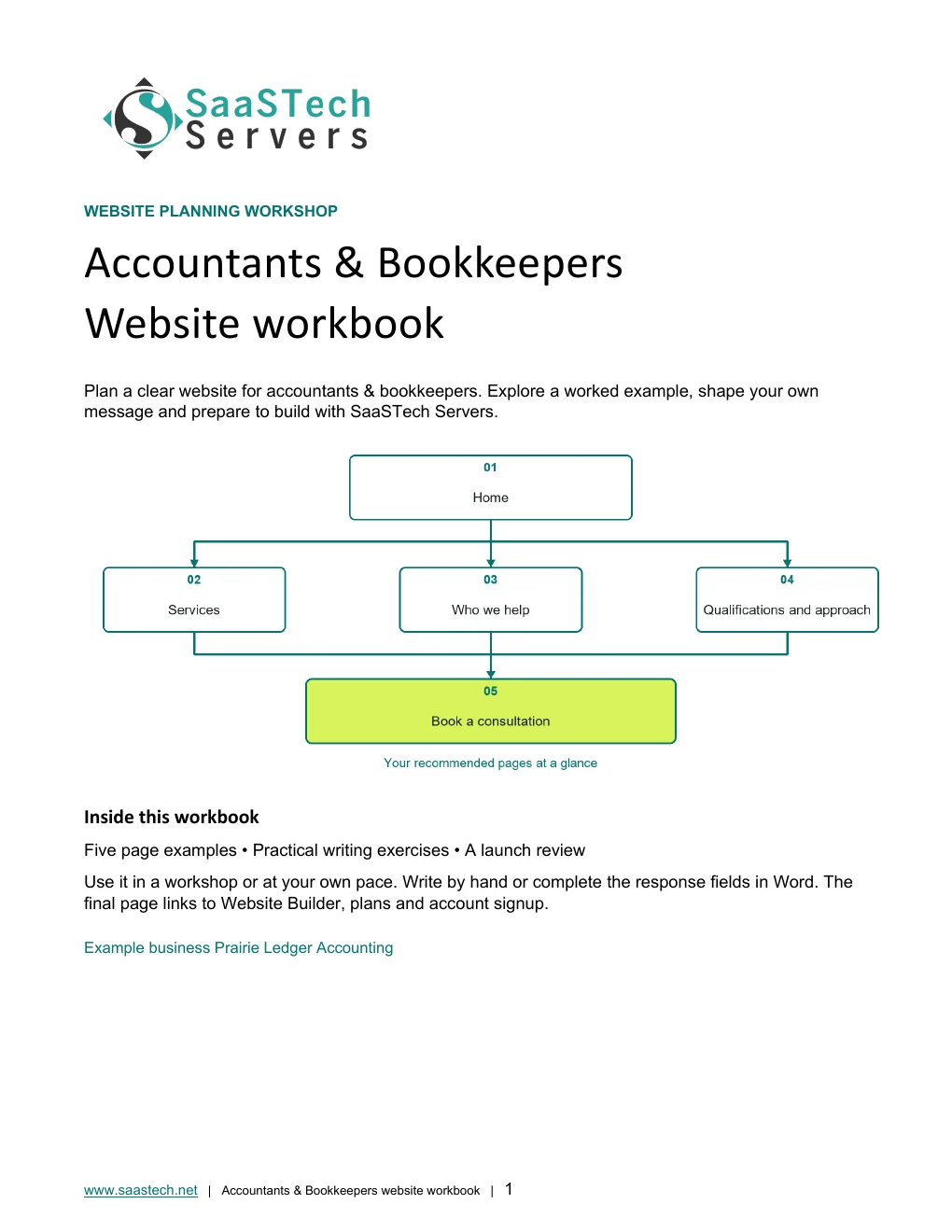
A website-planning guide in editable Word and print-ready PDF, with an example page plan, sample wording and space to draft your own content. Adapt the fictional example and confirm the details for your business.
View all templates and resources →Recommended structure
Start with this compact structure and add pages only when they answer a distinct visitor question.

See what you can build
Follow the original guided setup, then explore the finished five-page Prairie Ledger Accounting example and the controls used to refine it.
First setup
Follow the original setup from category to first draft. These early captures predate the finished branding shown above.
Editor highlights
Organize the pages, coordinate the header, and choose useful sections and colours.
See what you can build
Open the preview to explore the captured themes, logo variations and paint settings in the image viewer.
Selected colours
Browse all 22 themes with Use default styles switched off. Each pair keeps the Prairie Ledger content, cover, and coloured logo.
Default styles
The same 22 themes with Use default styles switched on, shown in matching pairs for easy comparison.
Paint your site
Eight desktop views follow every available slider stop from Light to Dark. The coloured logo stays readable on its white panel.
Earn confidence
Be discoverable
Find your domain
Try a .ca, or leave out the ending and we’ll help you find one that fits. The live search confirms current availability and pricing.
Explore country-code and regional domain endings with dedicated SaaSTech help articles. Registration rules and availability vary by registry and are confirmed in the secure storefront. Select an ending to open its specific help article in a new tab.
Where SaaSTech fits
The website strategy comes first. These services provide a practical foundation and can be adjusted for the business.
Choose a short, memorable name that belongs to the business and can be used for both the website and email.
Explore service →FOUNDATIONAppointment tools suit introductory consultations, while professional email supports consistent client communication on the business domain.
Explore service →FOUNDATIONUse the business domain for email, calendars, meetings, Office apps, and organized customer communication.
Explore service →Download templates branded for Prairie Ledger Accounting. Complete the fields in Word or the input cells in Excel, or print the forms and planners for handwriting. Website workbooks also include a print-ready PDF. Adapt the example branding and details for your own business.
A website-planning guide in editable Word and print-ready PDF, with an example page plan, sample wording and space to draft your own content. Adapt the fictional example and confirm the details for your business.
SaaSTech example templates, not official Microsoft templates. Keep confidential records in your approved private systems. These files do not connect to Website Builder or submit information.
Put the services to work
These examples connect the technology to everyday customer and team needs in accountants & bookkeepers.
Use the business domain for the public website and every client-facing address instead of a consumer email account.
Describe bookkeeping, payroll, tax, and advisory services, then use the public form only for basic consultation information.
Use managed identities, calendars, and organized business communication while directing financial documents through the firm's chosen secure process.
Before going live