
INDUSTRY VIDEO
Auto Repair Shops & Mechanics Website Guide
Start here for a practical tour. Once opened, the player follows as you move through the guide and can be returned to its place at any time.
Continue to the recommended structure →
Get your business online
Help drivers explain the problem and request the right service.
For independent mechanics, neighbourhood garages, and automotive maintenance and repair shops
Make the shop easy to choose before a driver calls. Explain the vehicles and services you accept, show the people behind the work, and set clear expectations for inspection, estimates and appointment confirmation.
Video overview and workbook
See how the website, business tools and customer journey fit together, then use the matching Auto Repair Shops & Mechanics workbook to shape your own pages.
Start here for a practical tour. Once opened, the player follows as you move through the guide and can be returned to its place at any time.
Continue to the recommended structure →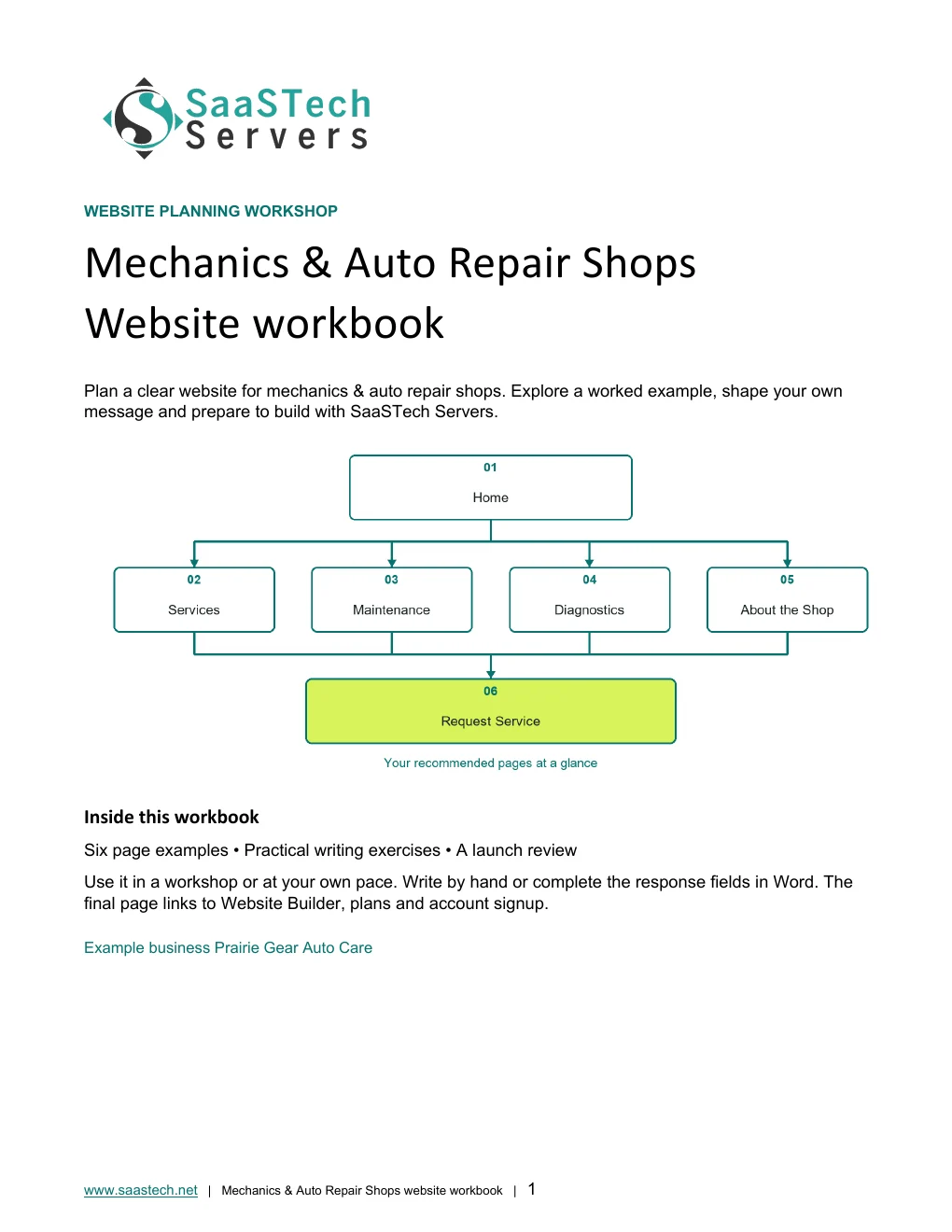
A website-planning guide in editable Word and print-ready PDF, with an example page plan, sample wording and space to draft your own content. Adapt the fictional example and confirm the details for your business.
View all templates and resources →Recommended structure
Start with this compact structure and add pages only when they answer a distinct visitor question.
See what you can build
Follow the setup, compare layouts, and see how the same shop branding works across the paint settings.
First setup
Editor highlights
Ask about the vehicle, symptoms and preferred timing before discussing next steps. A request form is not a confirmed appointment or repair estimate. This fictional demo does not accept service requests.
See what you can build
Open the preview to explore the captured themes, logo variations and paint settings in the image viewer.
New themes
The upgraded theme viewer groups its catalogue into New themes and More themes. These examples show alternative layouts; the finished shop uses Urban.
More themes
Paint your site
Earn confidence
Be discoverable
Find your domain
Try a .ca, or leave out the ending and we’ll help you find one that fits. The live search confirms current availability and pricing.
Explore country-code and regional domain endings with dedicated SaaSTech help articles. Registration rules and availability vary by registry and are confirmed in the secure storefront. Select an ending to open its specific help article in a new tab.
Where SaaSTech fits
The website strategy comes first. These services provide a practical foundation and can be adjusted for the business.
Choose a short, memorable name that belongs to the business and can be used for both the website and email.
Explore service →FOUNDATIONStart with service pages, shop information and a vehicle-service enquiry form. Consider Business Plus only if its current appointment features match the shop's intake process; an online request must not promise a repair slot before staff confirm the vehicle, work and availability.
Explore service →FOUNDATIONUse the business domain for email, calendars, meetings, Office apps, and organized customer communication.
Explore service →Download templates branded for Prairie Gear. Complete the fields in Word or the input cells in Excel, or print the forms and planners for handwriting. Website workbooks also include a print-ready PDF. Adapt the example branding and details for your own business.
A website-planning guide in editable Word and print-ready PDF, with an example page plan, sample wording and space to draft your own content. Adapt the fictional example and confirm the details for your business.
SaaSTech example templates, not official Microsoft templates. Keep confidential records in your approved private systems. These files do not connect to Website Builder or submit information.
Put the services to work
These examples connect the technology to everyday customer and team needs in auto repair shops & mechanics.
Let drivers describe their vehicle, the requested work and when a problem occurs. Explain the next step without treating the form as a diagnosis or confirmed booking.
Use the same business-owned domain on signage, estimates and follow-up messages. Keep shop enquiries out of personal inboxes.
Use shared calendars and internal intake worksheets to coordinate enquiries. Keep repair authorizations and customer records in the shop's approved systems; the website is not a replacement for workshop-management software.
Before going live