
Easy to put on a sign, an invoice or an email address.
Check this idea in the shop Happy Halloween!
Domains, Websites and Email forMovie Theatres & Cinemas
Help moviegoers choose a film, find the right showtime and plan a welcoming visit.
Get your business online
For independent cinemas, community movie theatres, drive-in operators and neighbourhood movie theater teams
Make now-showing information, dates, admission choices and visitor details easy to scan on a phone. Give every screening a clear date and local time, use film artwork and trailers with permission, and lead customers to your existing ticket service or explain how admission works at the theatre.
MPrairie Main Street
Your work appsMicrosoft 365New tabs ↗
For employees & business owners
Use your own organization-provided sign-in. You do not need access to the owner’s SaaSTech customer account to use these shortcuts. We do not collect your work-app password or connect to your inbox, contacts, calendar or files.
Choose What’s your SaaS preference? in Display to change these apps. Your provider choice and window layout are saved in this browser—not your account details.
Bookmark saastech.net as a familiar starting point, or keep your own app bookmarks. Owners can share this website with their team; give each employee their own service account rather than sharing an owner’s password. On a shared device, sign out of the provider’s app when finished.
Microsoft 365 web apps and OneDrive access depend on the account and licences your organization provides.
Admin Center — Administrators only. Use your organization’s Microsoft 365 administrator account. An ordinary employee account may not have access.
Email & Office Dashboard — Assign available Microsoft 365 seats and set up your team’s email accounts. If no seats are available, add seats through the dashboard or My Products . Use the SaaSTech account that owns the subscription, or an authorized delegate—not an employee mailbox sign-in.
Google Workspace is available directly from Google. Visit Google Workspace Canada
Town signpost
Shop & account⌄
Your SaaSTech essentials, all in one place. Opens in a new tab ↗
Already have Website Builder?
For Website Builder subscribers: open My Products, choose Manage beside your website, then Edit Website. Sign in to the account that owns the plan, or use your authorized delegate access. This site cannot check your subscription.
XMy Website Builder — subscribers↗New to Website Builder? Compare plansFor account tools, sign in first for the smoothest access. If your session times out while you’re away, simply sign in again.
These keys work across the site when single-key navigation is on. They pause while you type or use form controls. Links work with or without shortcuts.
- Years of service
More than 25 years helping businesses get online
- Formerly SaskTech Servers
The same technology heritage, now built for more.
- Multi-currency shopping
Choose your currency at the bottom of this page. Regional starting prices come from the secure shop; confirm final pricing before checkout.
- Worldwide support
Help is available internationally. Choose your country and language to see the current local support number.
Explore other domain endings
Ideas for Movie Theatres & Cinemas. Availability, pricing and registration rules are confirmed in the live search.
Country and regional domain help
Explore country-code and regional domain endings with dedicated SaaSTech help articles. Registration rules and availability vary by registry and are confirmed in the secure storefront. Select an ending to open its specific help article in a new tab.
🇦🇨.acAscension Island↗🇦🇮.aiAnguilla↗🇦🇲.amArmenia↗🇦🇺.auAustralia↗🇧🇷.brBrazil↗🇧🇷.br.comBrazil↗🇧🇿.bzBelize↗🇨🇦.caCanada↗🇨🇨.ccCocos (Keeling) Islands↗🇨🇭.chSwitzerland↗🇨🇳.cn.comChina↗🇨🇴.coColombia↗🇿🇦.co.zaSouth Africa↗🇨🇿.czCzechia↗🇩🇪.deGermany↗🇩🇪.de.comGermany↗🇩🇰.dkDenmark↗🇪🇸.esSpain↗🇪🇺.euEuropean Union↗🇪🇺.eu.comEuropean Union↗🇫🇲.fmMicronesia↗🇫🇷.frFrance↗🇬🇬.ggGuernsey↗🇬🇸.gsSouth Georgia & South Sandwich Islands↗🇮🇪.ieIreland↗🇮🇴.ioBritish Indian Ocean Territory↗🇮🇹.itItaly↗🇮🇹.it.comItaly↗🇰🇷.krSouth Korea↗🇱🇦.laLaos↗🇲🇪.meMontenegro↗🇲🇽.mxMexico↗🇳🇱.nlNetherlands↗🇳🇴.noNorway↗🇳🇺.nuNiue↗🇵🇪.pePeru↗🇵🇭.phPhilippines↗🇵🇱.plPoland↗🇸🇪.seSweden↗🇸🇬.sgSingapore↗🇸🇭.shSt. Helena↗🇸🇴.soSomalia↗🇹🇰.tkTokelau↗🇹🇴.toTonga↗🇹🇻.tvTuvalu↗🇹🇼.twTaiwan↗🇬🇧.ukUnited Kingdom↗🇬🇧.uk.comUnited Kingdom↗🇺🇸.usUnited States↗🇻🇨.vcSt. Vincent & Grenadines↗🇻🇬.vgBritish Virgin Islands↗🇼🇸.wsSamoa↗
Need help choosing a name?Try a few ideas and explore simple tips.
A name worth remembering
Brainstorm first. Search with a purpose.
A good address should feel at home on your building, your website and your email. Try a few combinations for Movie Theatres & Cinemas.
This scratchpad stays in this page; nothing is saved or searched as you type. It uses unaccented letters and numbers for simple sketches. Internationalized names and current availability can be checked in the shop.
Add a useful clue only if it makes the name clearer.
Check this idea in the shopA local connection can help, but leave room to grow.
Check this idea in the shopIdeas only—not availability results or ownership checks. Review business names and trademarks independently. Registration and renewal prices, eligibility and terms are confirmed in the secure shop.
Say it
Can someone understand it over the phone without a long explanation?
Spell it
Check spelling, spacing and look-alike characters. Avoid unnecessary numbers and hyphens.
Grow with it
Will it still fit if you add services, locations or a new team member?
Look after it
Use your own organization’s account, enable two-step verification and plan renewals.
Give every address a job
One brand. More than one useful doorway.
Choose a route to see the difference between another domain and a subdomain.
The address you put everywhere
Domainyourbrand.ca
Point toYour main website
Use one recognizable home for movie theatres & cinemas. Your team can also use addresses such as hello@yourbrand.ca after an email service is configured.
A domain is your address. Website hosting and mailboxes are separate services; registering the name does not build or connect them.
Choosing, registering or transferring your name
- Choose a name your organization can manage, with accurate contact details and a renewal reminder. Keep your account credentials private and use authorized delegation when someone helps you.
- Already have a domain? A transfer moves its registration. Review existing website and mail settings separately so a move does not interrupt working services.
- Explore domain registration · Review domain transfers · Visit the DNS Centre
- CIRA’s business-online guide · ICANN domain-owner guidance
One website plan. Your choice of platform.
Think of this guide as a wireframe—a blueprint for your pages, content and customer’s next step. Use the plan in Website Builder, WordPress, Wix, Shopify or another platform.
- Our simplest starting point
SaaSTech Website Builder
For a business introduction, services, photos and enquiries, start with visual editing and a plan that fits the features you need.
Explore Website Builder plans - Our next recommendation
SaaSTech Managed WordPress
Choose more flexibility for articles, layouts and compatible plugins. Use the same page plan, and allow time for setup, plugin care and testing.
Explore WordPress plans
Our videos and screenshots show SaaSTech Website Builder. Reuse the ideas and page structure; these are examples, not themes you can import into another builder. Editing controls and available features will differ.
Planning an online shop? Consider WordPress with WooCommerce first. Check the selected plan’s store features, extensions, licences, payments and ongoing care before ordering.
Using Wix, Shopify or another platform?
Keep this guide’s page goals, wording and customer journey. Build them with the platform you choose; its subscription, features and fees are separate from SaaSTech services.
Your domain can stay with SaaSTech.
Your domain is your address; your website platform is where the site lives. You can keep your domain registered with SaaSTech and connect it to a supported website service without transferring it away.
Before changing DNS—the directions that send visitors and email to the right place—save a backup and follow your provider’s current instructions. Keep working email records intact; edit records where your DNS is actually hosted. Back up your DNS first
Open Domain PortfolioDomain Portfolio opens in a new tab. Sign in to the account that owns your domain.
Website planning and support
Plan your website. Get help when you need it.
Use the matching Movie Theatres & Cinemas workbook to shape your pages, and watch the contact video if you would like help from SaaSTech.
Press P to play the SaaSTech support video. Press P again to pause or resume. Shortcuts pause while you type.
Playing this video connects to YouTube.
SAASTECH SUPPORT VIDEO
How to contact SaaSTech Servers
Need help choosing your next step? This short video explains how to contact SaaSTech Servers. Use the page plan and downloadable guide below to plan your website.
Continue to the recommended structure →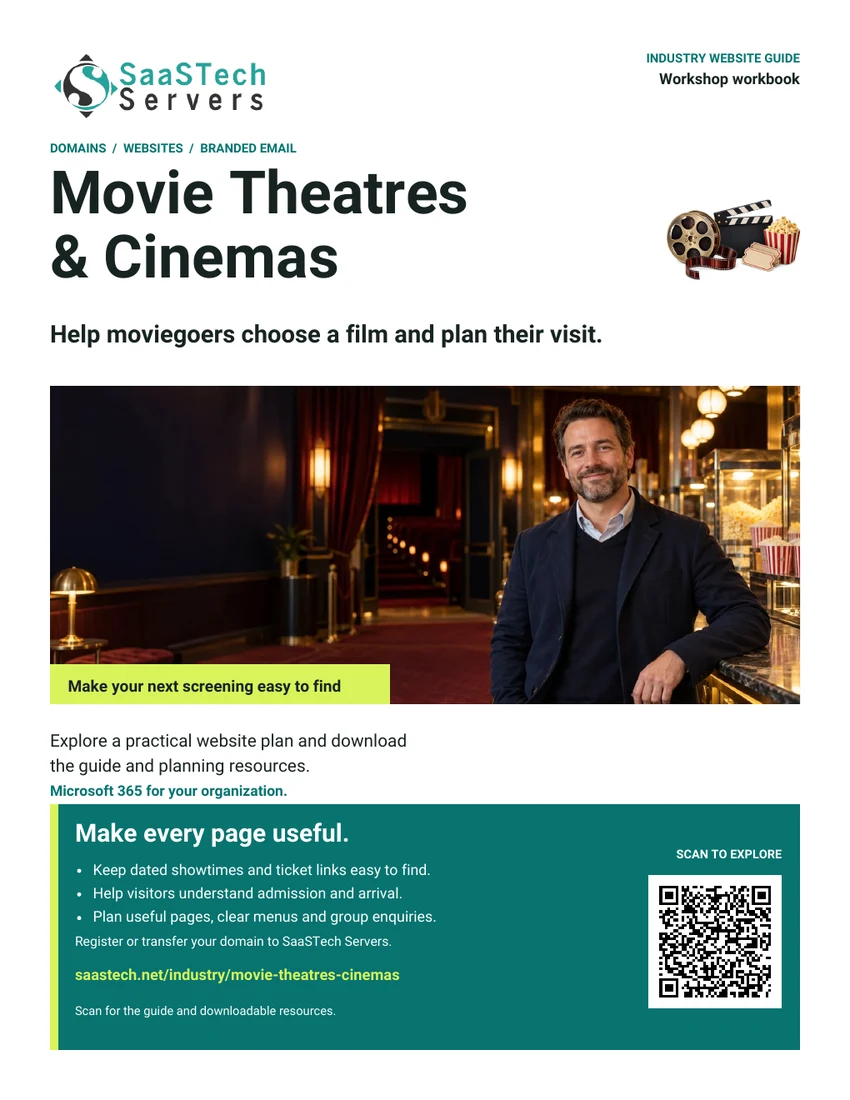
YOUR WEBSITE PLANNING GUIDE
Movie Theatres & Cinemas Website Guide
A website-planning guide in editable Word and print-ready PDF, with an example page plan, sample wording and space to draft your own content. Use it to plan your pages, add your original work and confirm the details for your business.
View all templates and resources →Recommended structure
Give every page a job.
Start with this compact structure and add pages only when they answer a distinct visitor question.

Home
Welcome visitors to your cinema with an original theatre photograph, a useful introduction and a clear route to the current programme. Put “Choose a film and showtime” near the top, show your community and location, and keep urgent closure notices easy to find.
Now Showing & Showtimes
Group confirmed screenings by film and date. Show the local start time, runtime, language, format and approved classification or age guidance, and distinguish captions or audio-description options only when available for that screening. Use authorized artwork and trailers, remove expired sessions and link each screening to the correct ticket destination.
Tickets & Admissions
Explain current admission categories, prices, fees, age rules, companion arrangements and refund or exchange policies the theatre has approved. State whether tickets are bought through your existing ticket provider or at the box office, and explain when a purchase is confirmed. Keep payment details, seat selection and ticket changes in the approved ticketing system.
Concessions
Show your current food and drink choices with your own photographs, useful portion or combo information and prices the team can maintain. Explain where customers can ask about ingredients, allergens and outside-food policies; confirm current information with staff rather than promising that an item is suitable for everyone.
Private Screenings & Groups
Describe group visits, school outings, private screenings or auditorium hire only where offered. Explain capacity, accessible arrangements, lead times and the enquiry process. A request should collect a preferred date, approximate group size and basic contact details; staff must confirm film permissions, availability, scope, pricing and payment arrangements separately.
Plan Your Visit
Publish verified directions, parking or transit information, opening and box-office hours, arrival guidance and accessible routes. Describe your confirmed seating, hearing-support and sensory-friendly arrangements, explain how to ask a question, and give visitors a clear route back to the film and showtime they want.
Earn confidence
Proof customers can evaluate.
- Current, dated showtimes linked to the correct screening and ticket destination
- Clear admission prices, purchase confirmation and refund or exchange information
- Original theatre photography and permission-cleared film artwork or trailers
- Accurate access, language, screening-format and visitor-support information
Be discoverable
Help the right customer find you.
- Use the cinema name, community and genuine screening formats consistently in page titles, contact information and local listings. Include the familiar words cinema, movie theatre or movie theater naturally where helpful.
- Keep individual film information and dated showtimes current, with a clear process for removing expired screenings and updating cancelled sessions.
- Describe the actual visitor experience in plain language: where to arrive, how to buy admission and whom to contact about access or a group visit.
Other ways to host a websiteOptional ideas for a growing or more specialized website.
Choose the right building
One business. The right home for each job.
Use Website Builder for now-showing information, visitor guidance, concessions and private-screening enquiries. Separately managed WordPress hosting may suit a substantial film journal or programme archive. Reserved seats, live availability, ticket payments, refunds and admission scanning need a separately configured ticket platform, not an ordinary website form.
One brandbrand.exampleA planning address, not a domain offer
PUBLIC FRONT DOOR
Website Builder
Your introduction, services, original work and clear next step.
Explore this industry’s website guide →OPTIONAL SEPARATE DESTINATION
A fit-for-purpose service
Point to the cinema’s existing approved ticket provider if it supports your domain setup. A subdomain does not include seat selection, live inventory, checkout or ticket scanning, and it must not imply a confirmed booking before the provider confirms it.
Explore hosting routes below →Illustrative addresses use the reserved .example ending. A subdomain is another address under your domain—not another domain registration. Connecting its DNS does not connect its users, payments or data automatically. Separate hosting plans, application subscriptions and integrations are not included in Website Builder.
A clear place to startWebsite Builder
Create your public pages with visual editing, then use the features in the plan you choose.
Plan the care: You prepare the content, customer journey and any booking, payment or store settings.
Explore Website Builder →For a content-led websiteManaged WordPress
Consider WordPress when an editorial workflow, theme or compatible plugin fits the job better.
Plan the care: Managed core updates help with upkeep. You still review plugins, licences, permissions and changes.
Explore Managed WordPress →For a separately managed sitecPanel Web Hosting
Give a WordPress installation or compatible web application its own hosting environment.
Plan the care: Assign someone to manage the application, updates, security, backups and recovery checks.
Explore cPanel Web Hosting →Need more resources or a specialist application?
Web Hosting Plus
Compare a higher-resource hosting option when a measured workload needs more capacity. Check the application requirements and plan limits before choosing.
Explore Web Hosting Plus →VPS Hosting
For a technical team with a defined server or application requirement—not a necessary next step for a small website. Budget for administration, security updates, monitoring and recovery.
Explore VPS Hosting →Before linking two destinations
- Assign an owner for DNS and SSL on each site.
- Plan separate updates, tested backups and access permissions.
- Explain when visitors move to another service or sign-in.
- Use an approved specialist system for sensitive client or patient records.
Compare current plans and supported applications before buying. WordPress upkeep · cPanel introduction · VPS responsibilities
Help me choose email for my teamCompare a business inbox with the Office apps your team may need.
Email & teamwork · match the tools to the person
Who needs which tools?
Start with the work each person does in Movie Theatres & Cinemas, then choose a mailbox and the apps that help them do it. Not every role needs the same plan.
Choose a role
A starting point for your cinema or theatre manager
Compare Online Business Essentials.
Draft notes about programme planning, distributor correspondence and venue procedures in Word for the web, track related tasks in Excel and outline a team update in PowerPoint. Share approved files with colleagues in the browser.
WWordXExcelPPowerPoint☁OneDrive
Online Business Essentials brings professional email together with Office web apps and 1 TB of OneDrive storage per user. It does not include the installed desktop Office-app licence.
See the Microsoft 365 plans for your teamCommunicate
Use an individually assigned business mailbox for programme planning, distributor correspondence and venue procedures; share approved mailbox access rather than passwords.
Work together online
Draft notes about programme planning, distributor correspondence and venue procedures in Word for the web, track related tasks in Excel and outline a team update in PowerPoint. Share approved files with colleagues in the browser.
Create with desktop apps
Consider licensed desktop Word or Excel for long documents, advanced formatting or offline preparation related to programme planning, distributor correspondence and venue procedures. Browser apps may be enough for routine work.
Plan your people, addresses and permissions
- Give each person their own account and the appropriate licence. An address such as enquiries@ or bookings@ may be an alias, a shared mailbox or a separate mailbox; decide who needs their own sign-in before buying seats.
- Choose one primary mail provider for your domain. Titan and Microsoft 365 are alternatives for mailbox hosting, not a suggestion to add both sets of mail-routing records. Any split-delivery arrangement needs its own planned setup.
- Use approved systems and sharing permissions for private customer, staff or business records. Enable two-step verification, and plan how access will be removed when a team member leaves.
These are work-planning examples, not a compliance guarantee. Features, storage, app availability and licensing depend on the current plan. Explore Microsoft 365 or compare Professional Email before choosing.
TEMPLATES AND RESOURCES
Ready to use with Microsoft 365
Download templates branded for SaaSTech Servers. Complete the fields in Word, or print the forms and planners for handwriting. Website workbooks also include a print-ready PDF. Adapt the example branding and details for your own business.
Read PDF online · opens in a new tabA website-planning guide in editable Word and print-ready PDF, with an example page plan, sample wording and space to draft your own content. Use it to plan your pages, add your original work and confirm the details for your business.
Editable Word checklist for film information, local showtimes, admission details, screening accessibility options and the correct ticket links.
Editable Word worksheet for planning group-screening questions, staff follow-up and confirmation steps. Keep personal details in your approved private system.
Editable Word worksheet for current menu choices, original photographs, pricing, staff-verified ingredient information and a regular review schedule.
SaaSTech example templates, not official Microsoft templates. Keep confidential records in your approved private systems. These files do not connect to Website Builder or submit information.
PUT YOUR WEBSITE TO WORKMarketing ideas for your websiteCalendar examples, domain ideas, useful emails and three blog topics for Movie Theatres & Cinemas.+
CalendarIdea 1 of 2
Summer seasonPlan your next cinema visit
A practical idea for Movie Theatres & Cinemas: give people useful information before they need to make a decision.
In practice: Prairie Picturehouse — an illustrative example from this industry guide.
The campaign in practice
Make a little space in the week for a trip to the cinema. Start with the showtime information, check the ticket arrangements and plan your arrival. If you have questions about access or the visit itself, ask the cinema team before choosing your screening.
How this can work for you
- Build a visit-planning page with current showtime links, accessibility details and your actual ticketing process. Add a permission-cleared foyer photo and explain arrival arrangements; use only film artwork and trailers you are authorised to share.
- Let the page lead to one clear next step: “Choose a film and showtime”. Keep the same message on your website, printed material and approved updates.
- Choose a date that fits your audience and your capacity. Review the page after the occasion so old dates or offers do not linger.
Calendar: 1 of 2
All three blog topics for this industry
Keep it useful, accurate and respectful
Choose occasions that fit your audience; you do not need to mark every holiday. Confirm real hours, availability and any offer terms. Use your own approved details and original or licensed images. Keep private records out of public pages, and get permission before sharing someone’s story.
Examples are starting points, not promises of results or included plan features. Check your services before adding bookings, payments or an online store. Send marketing messages using an appropriate permission-based process with clear identification and unsubscribe options. Canadian email consent guidance ↗
Where SaaSTech fits
Use services to support the plan—not define it.
The website strategy comes first. These services provide a practical foundation and can be adjusted for the business.
FOUNDATION
Domain registration
Choose a short, memorable name that belongs to the business and can be used for both the website and email.
Explore service →FOUNDATIONWebsite Builder Business Plus
Use clear film and visitor pages, useful updates and appointment requests for private-screening discussions when the team will manage availability and confirmations. Reserved seats, live ticket inventory, ticket payments, refunds and admission scanning require a separately configured ticketing service; they are not included simply by choosing this plan. Link to the theatre’s existing approved ticket service rather than treating a general enquiry form as a ticket purchase.
Explore service →FOUNDATIONMicrosoft 365 Online Business Professional
Use the business domain for email, calendars, meetings, Office apps, and organized customer communication.
Explore service →Put the services to work
Small systems that make a real business easier to choose.
These examples connect the technology to everyday customer and team needs in Movie Theatres & Cinemas.
Keep the next screening easy to find
Use the showtime checklist to review film details, local dates and times, admission information and the correct ticket link. Remove expired screenings and keep purchases in your approved ticketing service.
Give each update an owner
Use shared working documents and calendars to coordinate programme changes, concession information and group-screening follow-up. Keep ticket identifiers, payment details and private visitor information in approved systems.
Make group conversations recognizable
Use your cinema’s own domain and a managed group-enquiry mailbox. The enquiry planner helps staff confirm availability, film permissions and the next step; it is not a ticket, booking confirmation or payment form.
Before going live
Launch like a customer is already waiting.
We’re here to help
Need a hand?
Let’s connect.
See the easiest ways to reach SaaSTech Servers whenever you need guidance, answers, or a little technical backup.
Find your local contact optionsOn Contact Us, choose your country and language to find the local number, hours and available ways to connect. Check your storefront currency when reviewing plans or orders.
Playing this video connects to YouTube.
A little preparation goes a long way
Before you call, have these ready.
Your customer number
Have your customer number and the domain or product you need help with ready. New to SaaSTech? Create your own free account first—no purchase is needed.
Get started with your account →Your support verification method
Depending on your country and current account verification method, support may use a Support PIN (call-in PIN) or send a one-time verification code to your saved phone or email. If your account uses a PIN, find or update it at pin.saastech.net or in My Account after signing in.
Your verification device
Enable 2-step verification to help protect your account. Keep your registered phone, authenticator or security key with you, and access to your account email, so you can complete secure sign-in or verification prompts.
A clear question or example
Note the affected service, exact error message, when it happened and what you have tried. Remove passwords, payment details and private customer information from any screenshots you share.
Check Service Status first →